
MANGA TRANSLATION
AI manga translator: translate manga online, lettered into the bubbles
Blab Translation is an AI manga translator you use online. Upload manga or comic pages, or a CBZ, and choose the language you read. Each page is read by OCR, the original words are cleaned out of the balloons, and the translation is lettered back in with real fonts, fitted to the shape of each balloon. The artwork itself is not redrawn. Read the chapter on the site, press and hold a page to see the original, and download it as a CBZ. Signed in, your first 100 pages each month are free.
What it does
Lettered into the balloons, the art left alone
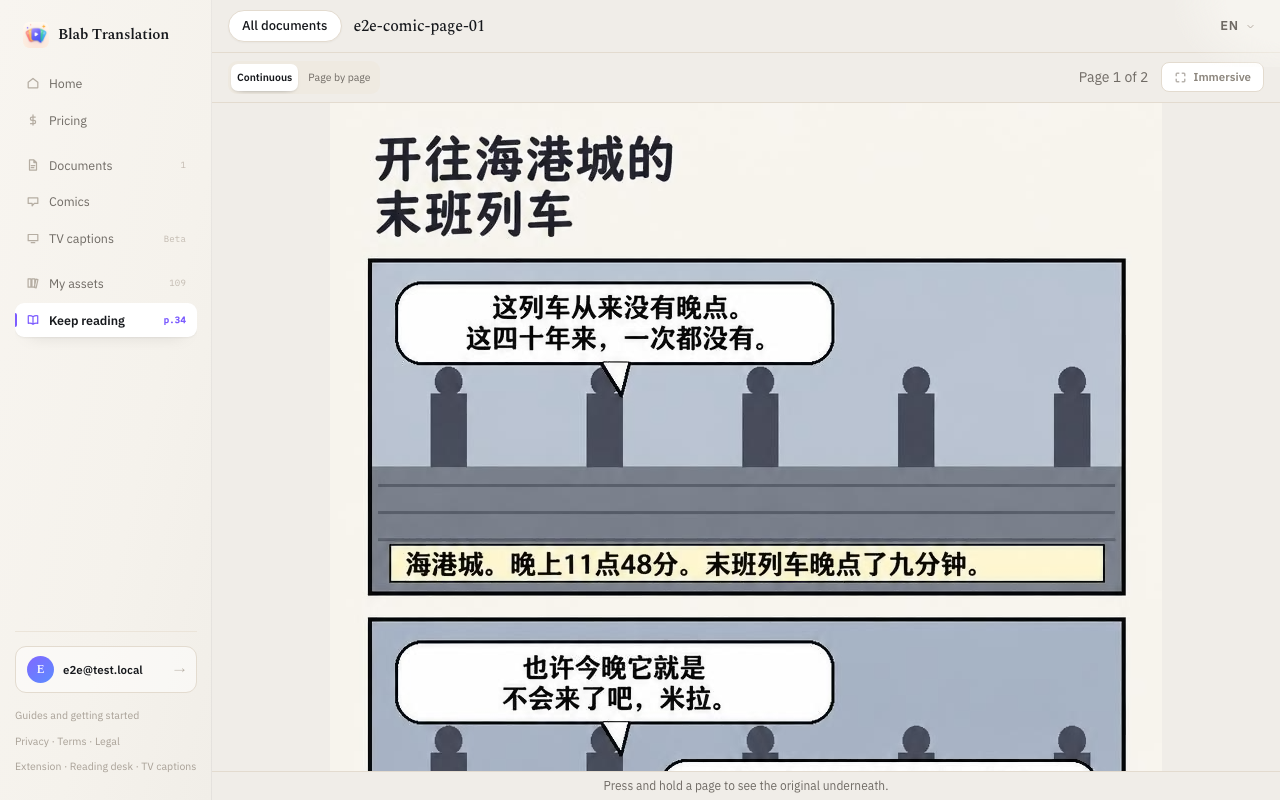
Every balloon and caption is found and read, its words are erased, and the translation is set inside it in a face that suits it: plain for dialogue, heavier for a shout, a hand style for a scribbled note. Nothing outside the lettering is touched. The dialogue is translated with the whole page in view, so who is speaking and how they sound carry over, in short lines that read like speech. Read the chapter continuously, page by page or panel by panel, right to left or left to right, as single pages or two-page spreads, and press and hold a page to see the original underneath.
Optional AI colouring
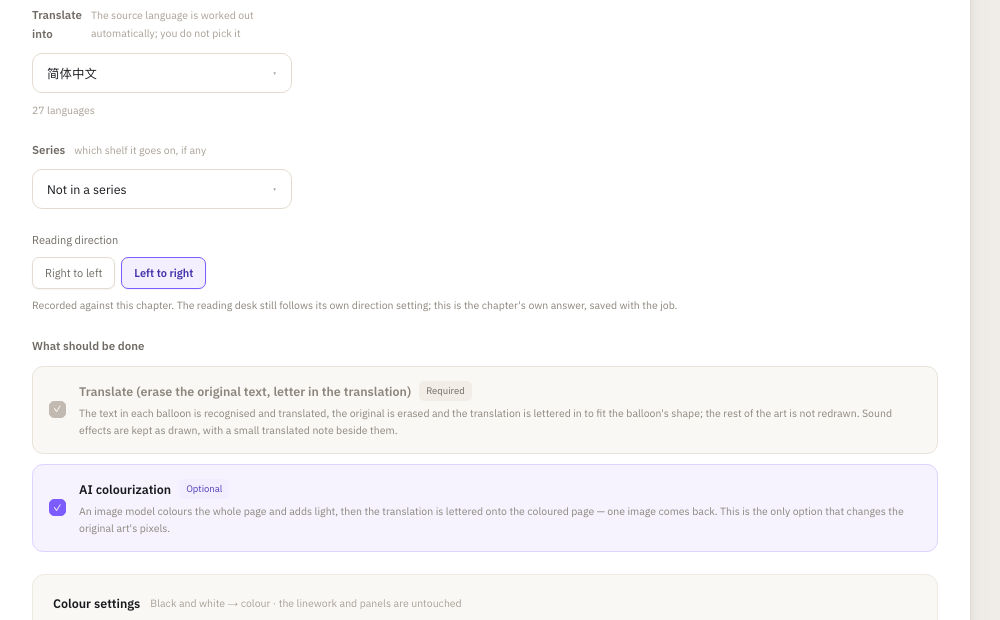
A black-and-white chapter can also be coloured. An image model colours the whole page and adds light, then the translation is lettered onto the coloured page. It is the one option that changes the original art, and the colours are the model's reading of the page, not the artist's. It starts ticked for black-and-white pages and costs 8 credits a page on top of the translation; untick it to keep the art as drawn.
Proof every page, fix a balloon yourself
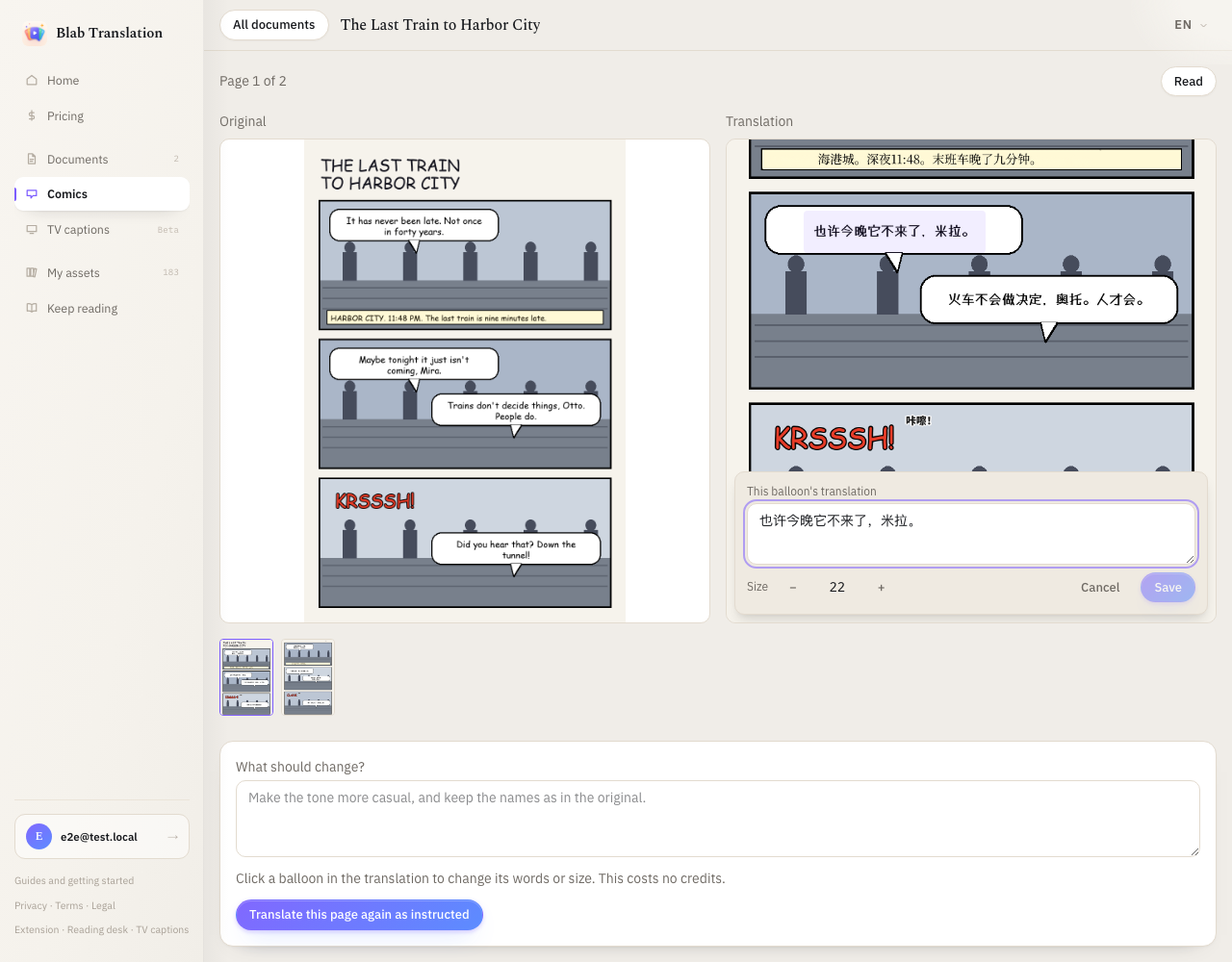
The proofing view puts each original page beside its translation. Click a balloon in the translation to change its words or make the text larger or smaller; that costs nothing. When a whole page needs another pass, write an instruction, such as how to render a name, and translate that page again. The new version appears beside the current one, and nothing is replaced until you choose to use it.
Images and archives in, CBZ out
Upload PNG, JPEG or WebP pages, or a CBZ or ZIP archive. Archives are unpacked in your browser, so only the pages are uploaded. Pages are ordered by file name and you can reorder them before you start. You do not name the source language; it is read off the page. Pick a font kit for the chapter, standard, handwritten or clean, and change it later if you like. When you are done, download the translated chapter or the original as a CBZ.
How to use it
- 01
Upload the pages
Open Comics, add your images or archive, check the page order, and choose the language to translate into and the reading direction. Leave AI colouring ticked for colour, or untick it.
- 02
Proof the chapter
Open the proofing view and compare each page with its original. Click a balloon to adjust its words, or translate a page again with a short instruction.
- 03
Read or download
Read the chapter in the comic reader, in Immersive mode if you like, or download it as a CBZ for your own reader app.
Limits and billing
Signed in, you get 100 free comic pages every month. After that a page costs 10 credits, and translating a page again costs the same. Editing a balloon by hand is free. Colouring is charged separately, at 8 credits a page. You do not need an AI key.
Japanese, Chinese and English pages are read, as are other languages written in the Latin alphabet. Pages lettered in Korean or Thai cannot be read yet; such a page fails and its charge is refunded.
Comic pages are processed on our servers. Uploaded pages and the translated images are deleted after 7 days, so download the CBZ if you want to keep a chapter.
Questions
Does it translate the sound effects?
Yes, without painting over them. A sound effect stays exactly as it was drawn, and its translation is set as a small note beside it. You can turn the notes off for a chapter in the workbench; the change applies to pages translated after it.
Can I fix a single line of dialogue?
Yes. In the proofing view, click the balloon, change the words or the text size and save. It costs nothing. If the new line no longer fits, you are asked to shorten it or make the text smaller.
Is the artwork redrawn?
No. Only the lettering changes: the original words are erased from each balloon and the translation is set in with real fonts. AI colouring is the one option that repaints the page, and you can untick it before you start.
Can it translate Korean manhwa?
Not yet. Pages lettered in Korean cannot be read, so they fail and are refunded. Translating into Korean works: Japanese, Chinese or English pages can be lettered in Korean.
How do I translate manga to English?
Open Comics, upload the pages or a CBZ and choose English. The Japanese or Chinese on the page is read for you, the balloons are lettered in English, and you can proof each page, then read the chapter online or download it as a CBZ. Pages are deleted after 7 days, so keep the CBZ.